For iPhone, iPad and Apple Watch
Every feed, nap and diaper, at a glance.
Baby Feed keeps track of a newborn's day: feeds, diaper changes, sleep and pumping, and medicine, temperature and vaccines when you need them. You always know what happened last and how long ago. Made for twins, and for two parents.
- Free to download
- 22 languages
- No account, no ads

One tap
Start a feed, a sleep or a pump and stop it when it's done. A diaper is logged in two taps.
Twins and partners
Each baby has their own page. Share a baby through iCloud and you both see every record as it's made.
Always at hand
Apple Watch, widgets, Control Center, a Live Activity and Siri, for when your hands are full.
Private
No account, no ads, no tracking. Your records stay in your own iCloud.
Every day
The last feed, change and sleep, always in view
Open the app and see what happened last for each baby and how long ago, with today's totals and a clock that keeps counting. Baby Feed also estimates when the next feed and the next sleep are likely, from your baby's own rhythm.
- Breast, bottle or solid food, with the side, the amount and what a bottle held
- Start a feed or a sleep 5 to 30 minutes ago with one tap
- Forgot to tap STOP? It asks when it really ended
- A note on any record
Statistics
Charts that make sense
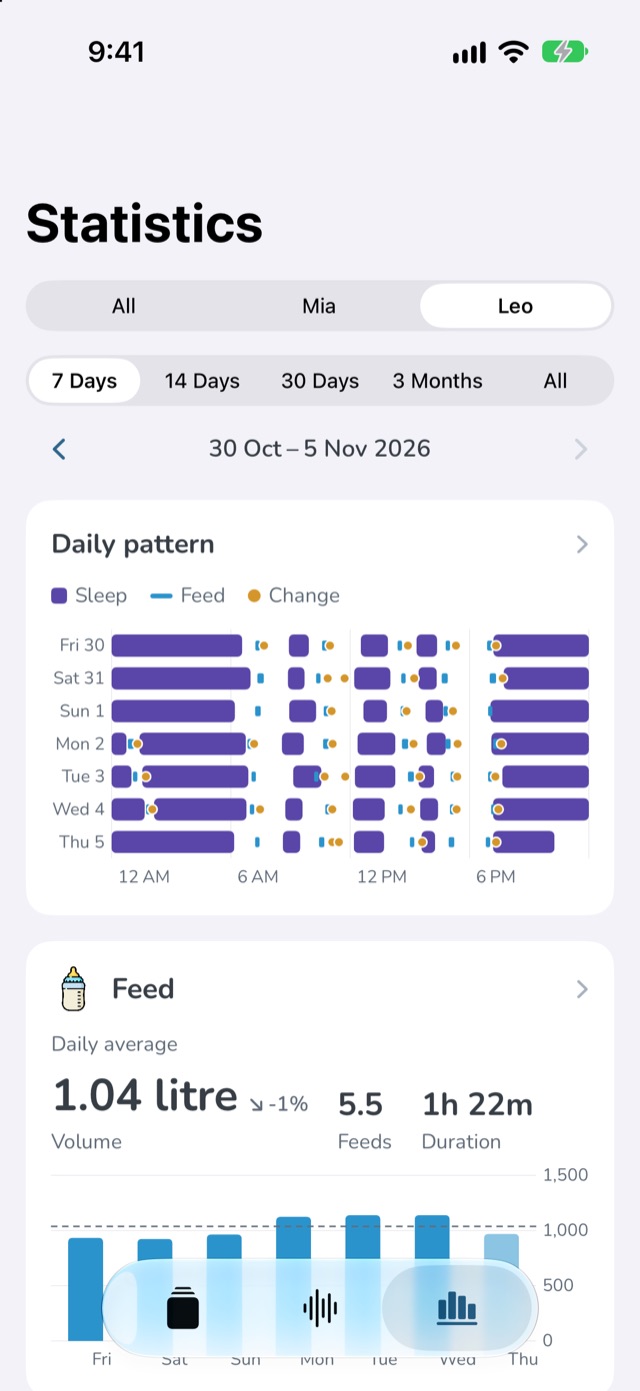
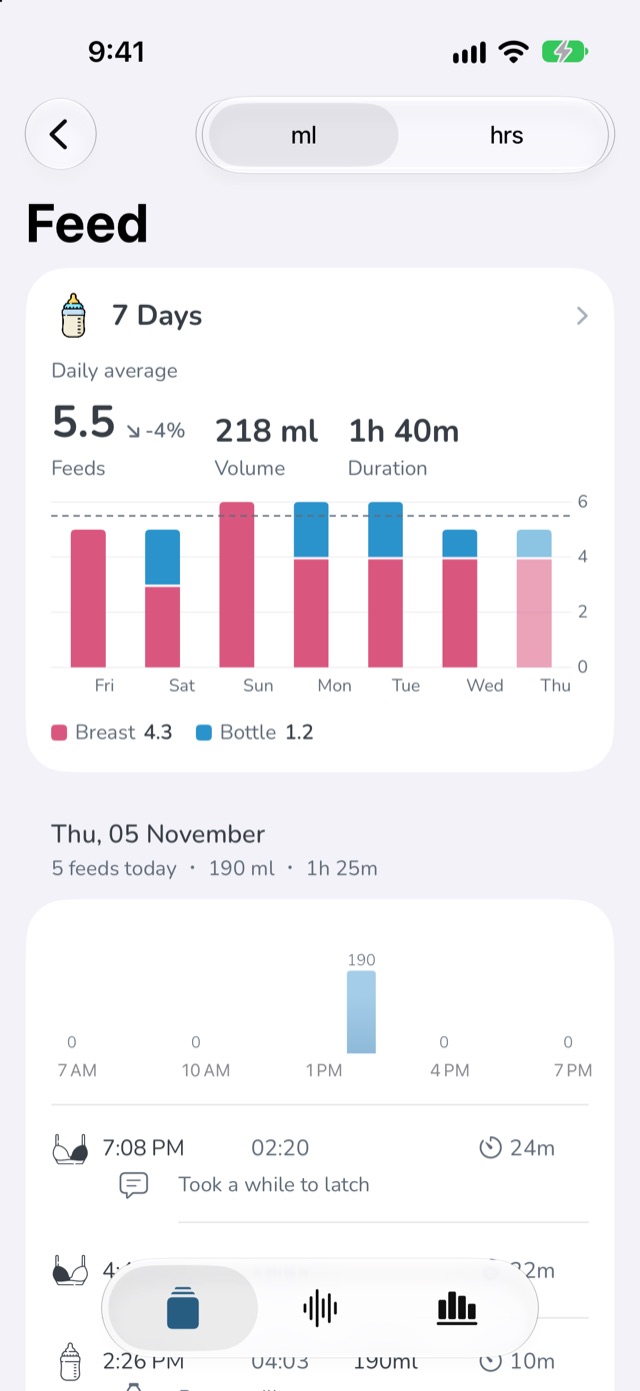
See how the days are changing: daily averages and trends for feeds, sleep, diapers and pumping, the daily pattern of when your baby sleeps and feeds, and twins side by side. Sleep counts on the day it happened, even across midnight.
- 7 days, 30 days, 3 months or everything
- Hour by hour and day by day
- What the bottles held: breast milk, formula or both
Health
When your baby is unwell
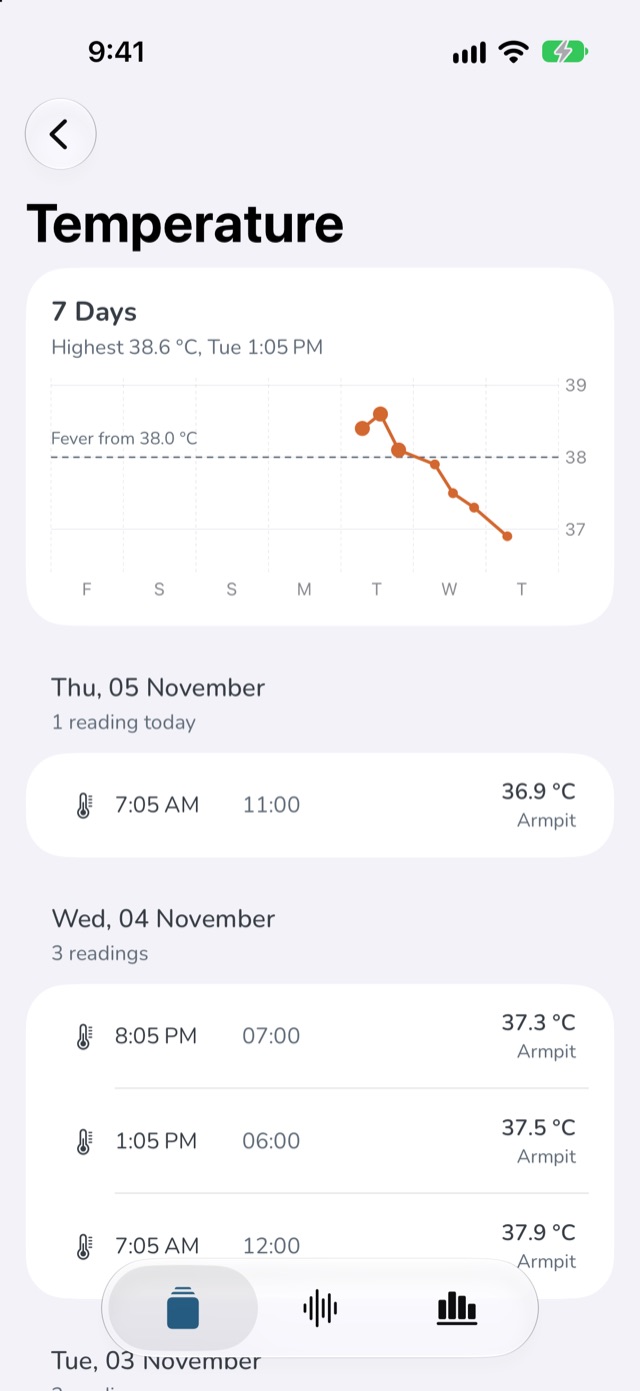
Log every dose and every temperature. See what was given in the last 24 hours before the next dose, spot a fever at a glance and set a reminder for each medicine. A PDF report brings it all to the doctor.
- Each medicine with a reminder of its own
- A fever marked on the chart, in °C or °F
- A report per baby with growth, doses and readings
Vaccines
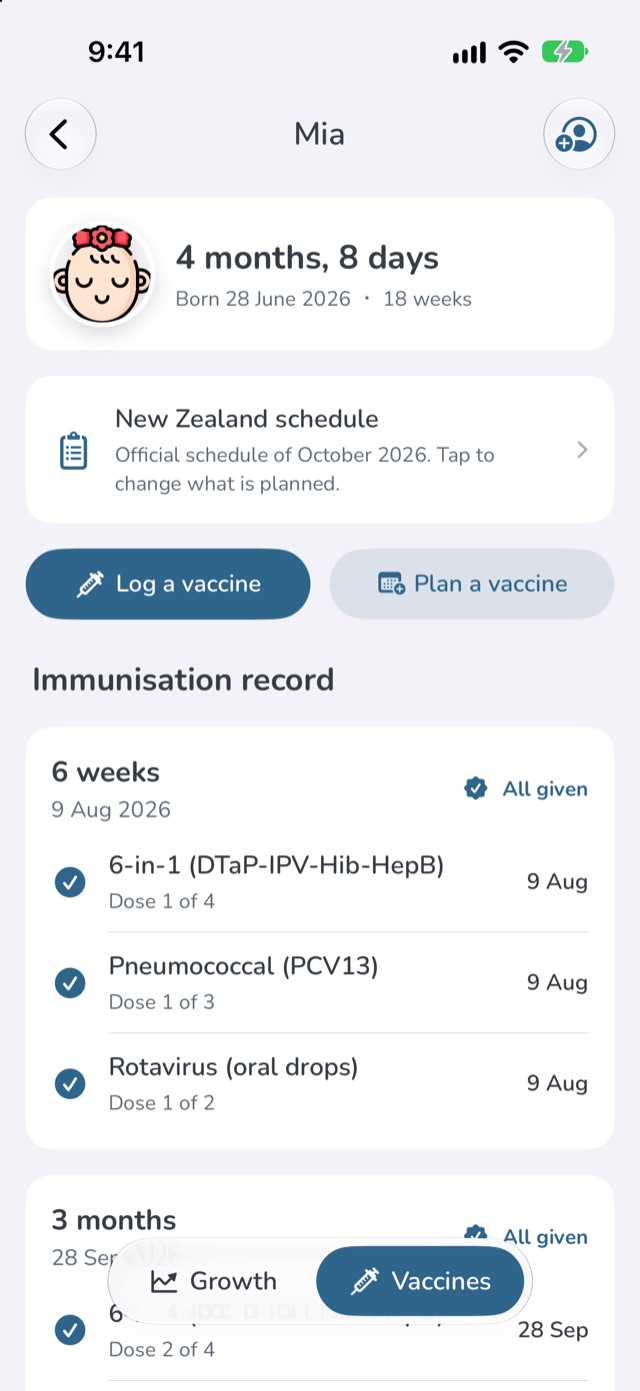
Your country's vaccine schedule, planned for you
Follow the official childhood schedule of New Zealand, Australia, the UK, the US, Canada, mainland China, Taiwan, Singapore, Japan or South Korea, or the WHO's, as an immunisation record by age. Log each dose, book the next one and get a reminder.
- A reminder a week before each visit, and on the day
- Optional and private vaccines you can choose to plan
- Doses due before you started are never shown as late
Bottles and pumping
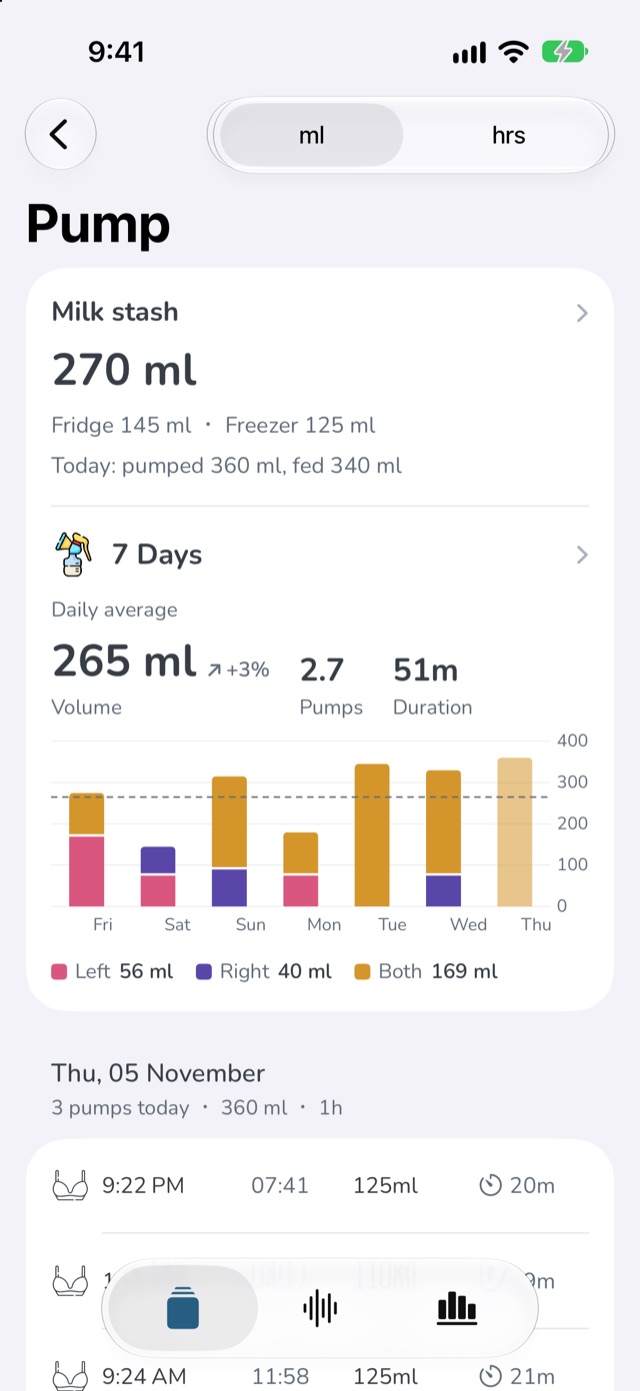
Pumping, bottles and your milk stash
Say what each bottle held: breast milk, formula or both, and how much of each. Every pump adds a bag to your stash, and breast milk fed from a bottle comes off the oldest bag first, from the fridge before the freezer.
- How much is in the fridge and the freezer
- Pumped and fed, day by day
- A pumping reminder that counts from your last pump
Sleep
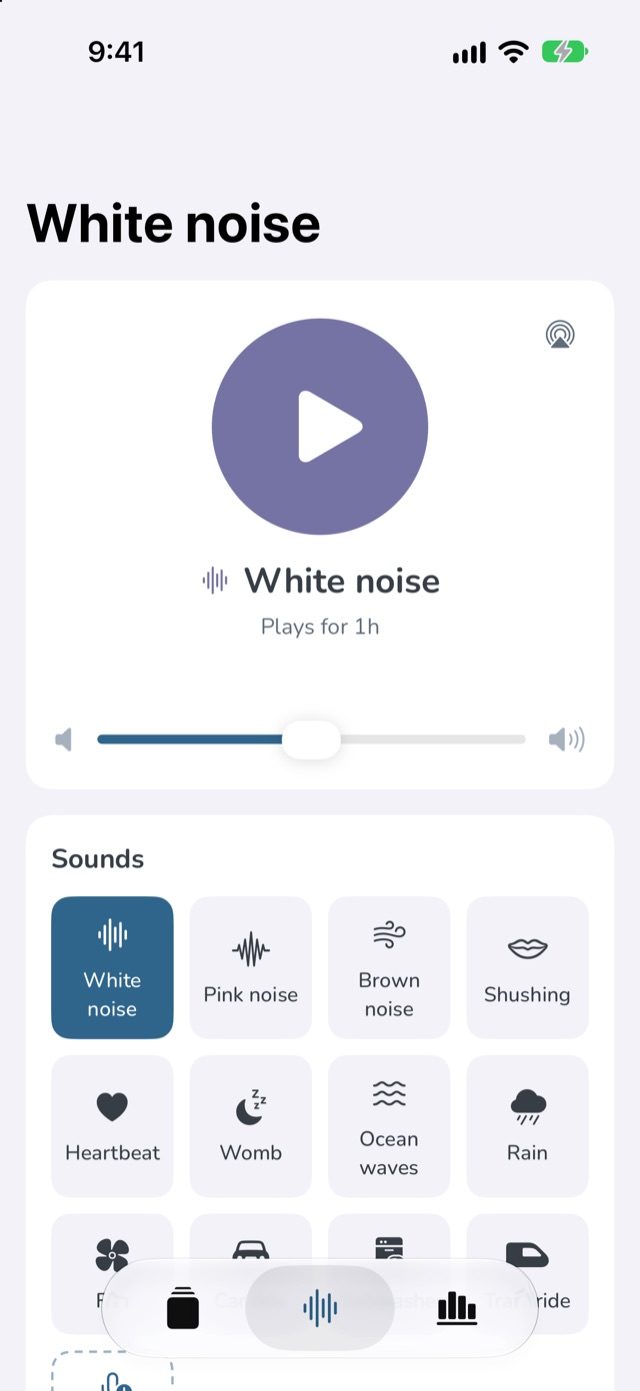
White noise, made for babies
Twelve soothing sounds: white, pink and brown noise, shushing, a heartbeat, the womb, ocean waves, rain, a fan, a car ride, a dishwasher and a train ride, made in code so they loop without a seam. Or record a sound of your own.
- A timer that fades out gently
- Start a sleep with it; the sound fades when that sleep is stopped
- Control it from the Lock Screen, AirPods, Siri or a widget
And everything else you'd hope for
Apple Watch
Start, stop and log from your wrist. A complication counts up since the last feed.
Live Activity
A feed, sleep or pump in progress on the Lock Screen and in the Dynamic Island, on your partner's phone too.
Widgets and Control Center
Start and stop from the Home Screen, and see the next feed on the Lock Screen.
Siri and Shortcuts
“When was the last feed?” “How many feeds today?” Siri answers from your records.
Reminders
After a feed, a sleep or pumping, at set times or after a solid meal. They come through a Focus.
Growth
Weight, height and head circumference on the WHO percentile curves, with the corrected age for a baby born early.
Solid foods
What was eaten, first tries and any reaction, with every food tried in one list.
Share with your partner
Both of you log and see the same records, on your own phones, through iCloud.
Export and import
Every record as a spreadsheet, or a PDF report for the doctor.
Dark mode at night
Nothing on the screen glows in a dark room.
Undo and Recently deleted
A record deleted by mistake can come back for 30 days.
Your units
ml or fl oz, kg or lb, °C or °F, in 22 languages.
Your family's records stay yours
Everything you log is stored on your devices and in your own iCloud account. There is no account to create, no ads and no tracking, and nobody else, including us, can read your records.
Questions and answers
How do I share a baby with my partner?
Tap your baby's photo and age at the top of the home page to open the profile page, then tap the share button (or, in Settings, tap the baby, then Share with partner). Send the link: your partner opens it on an iPhone that is signed in to iCloud and has Baby Feed installed, and doesn't add a baby of their own.
Can I use it for twins?
Yes, Baby Feed was made for twins. Each baby has their own page, history and statistics; swipe between them on the home page. Statistics can compare them side by side, and Siri asks which baby when it needs to.
Where are my records kept? Are they backed up?
On your devices and in your own iCloud account, which keeps your devices in step. If your records aren't reaching iCloud, because you're signed out or your iCloud storage is full, the home page tells you. You can also export everything as a spreadsheet at any time.
What does it cost?
Baby Feed is free to download. Some features are unlocked by any of three optional “Thanks” purchases, which also support an independent developer.
How do I get my purchase back on a new phone?
Open Settings in Baby Feed and tap Restore Purchases, signed in with the same Apple Account.
I deleted a record by mistake. Can I get it back?
Tap Undo straight away, or open Settings → Recently deleted: records deleted on that device are kept there for 30 days.
Does it work on Apple Watch, iPad and Mac?
Yes. The Apple Watch app shows the last feed, sleep, change and pump for each baby and starts, stops and logs them. iPad has a layout of its own, and Macs with Apple silicon run the iPad app.
Is Baby Feed medical advice?
No. It is a record-keeping tool. Averages, estimates, growth charts and vaccine schedules are there to inform you; always follow your doctor, nurse or midwife. See the terms of use.
Free on the App Store
For iPhone, iPad and Apple Watch, and Macs with Apple silicon.
Baby Feed is free to download. Some features are unlocked by any of three optional “Thanks” purchases, which also support an independent developer.