
For iPhone, iPad, Mac and Apple Vision Pro
A private place for your days.
Write what happened, how you felt and what you are grateful for. Add photos, a mood and tags, and read it all back whenever you like. Your entries stay on your devices and in your own iCloud: there is no account to create, and nobody else can read along.
- Free with unlimited entries
- 26 languages
- No account, no ads

Write freely
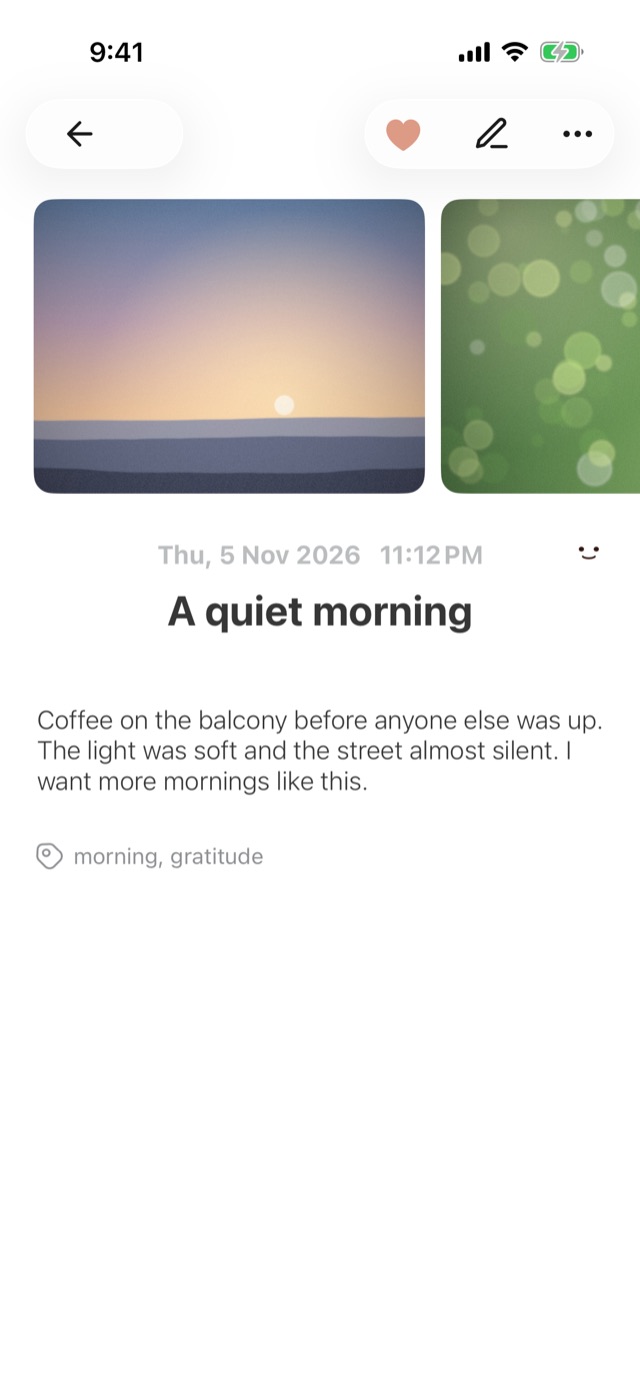
Rich text, up to 9 photos or videos, and your voice, turned into text on your device.
Find any day
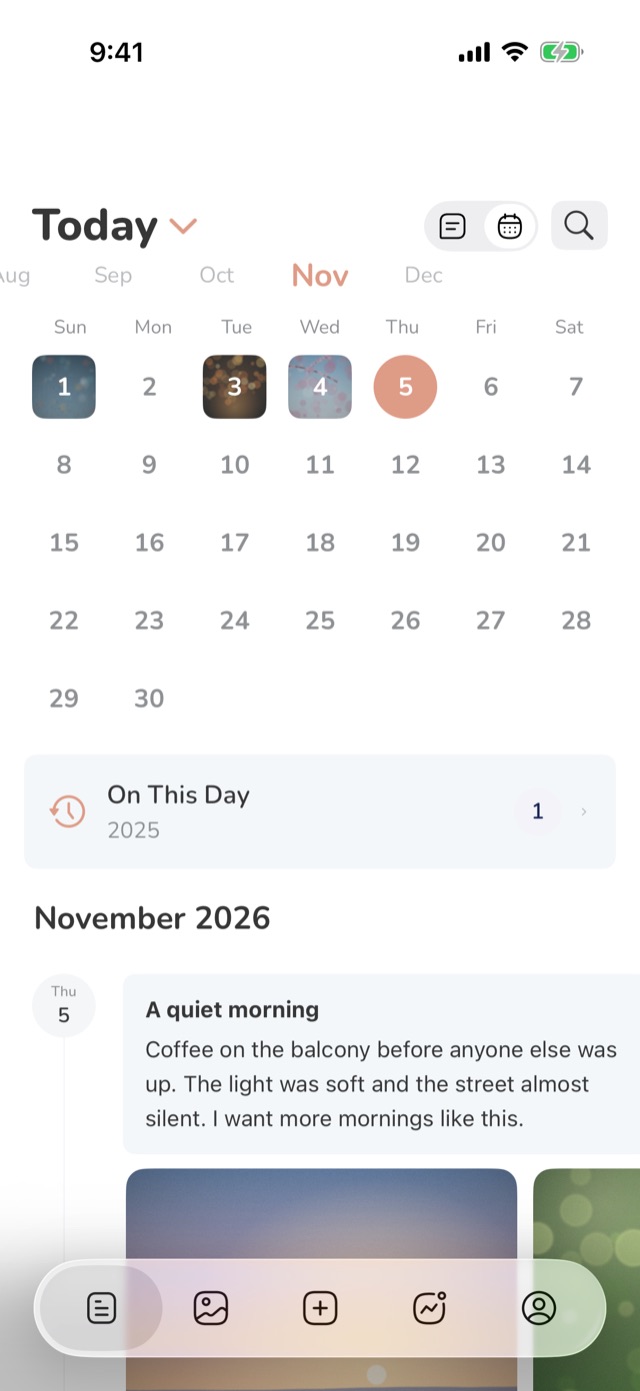
A timeline, a calendar, search, and what you wrote on this day in earlier years.
See your year
Streaks, mood trends and a year in review you can share.
Private
Face ID or a passcode, your own iCloud, and no account.
Write
Write the way you like
A clean editor with rich text, a title and any date you choose. Add up to 9 photos or videos, talk instead of typing, or let Apple's Journaling Suggestions bring in the day's photos, places and workouts.
- A new writing prompt every day, and another when you want one
- Moods as animated faces, tags, and a heart for favourites
- Voice entries, turned into text on your device
Remember
Find your days again
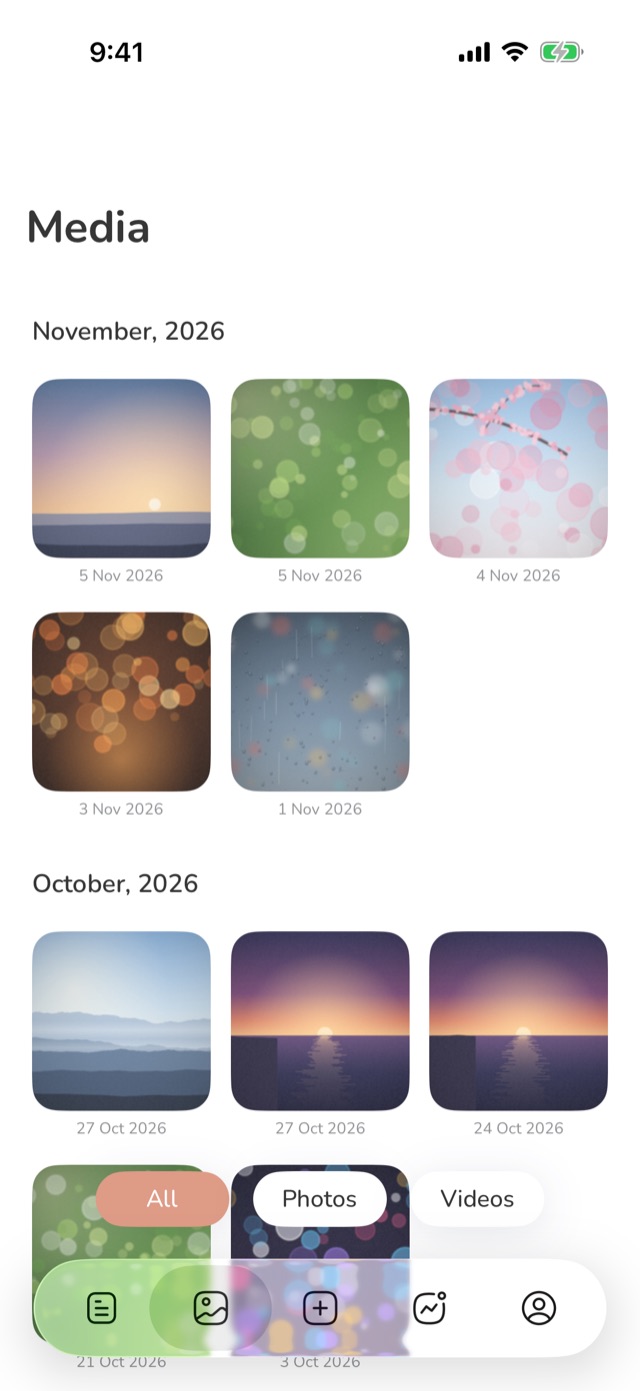
Every entry in order on a timeline, with a week strip or a month calendar on top. Search titles, text and tags, look back at what you wrote on this day in earlier years, and browse every photo and video in one gallery.
- On This Day
- A Trash, so a deleted entry can come back
- A sidebar layout on iPad
Reflect
See the bigger picture
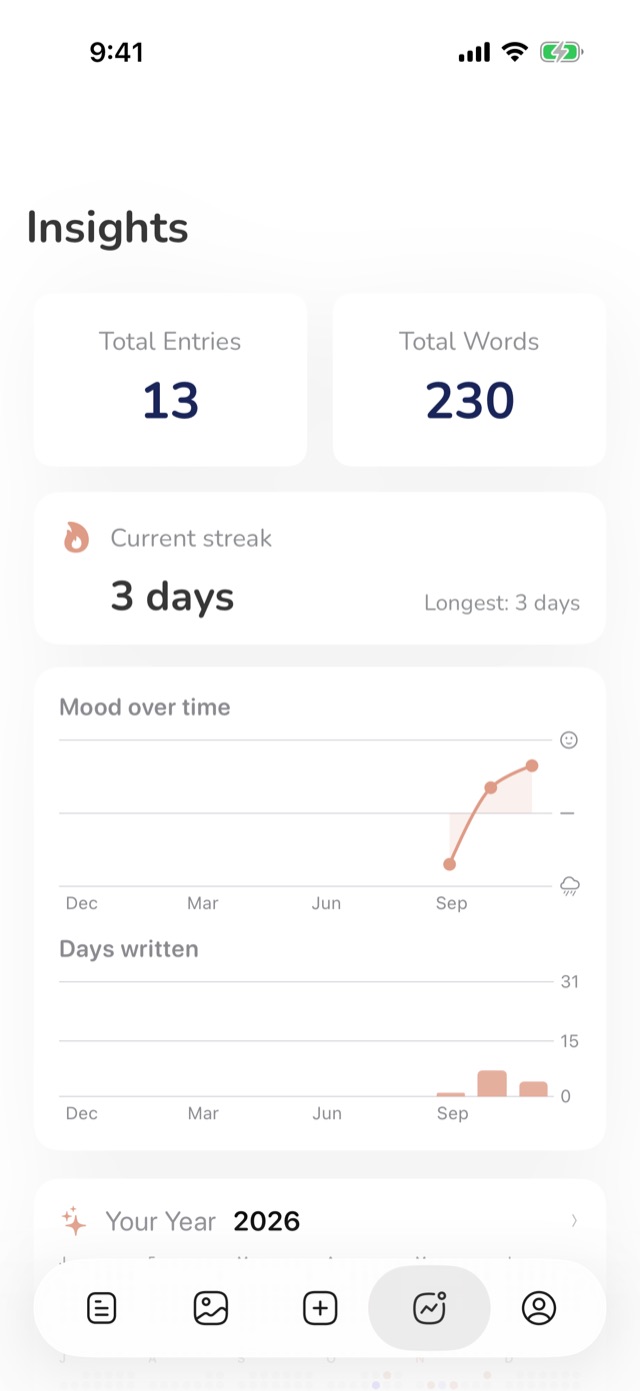
Insights count your entries, words and days written. Streaks show the days in a row you've written, trends show your mood over the past year, and your year in review becomes a card you can share.
- Your current streak and your longest
- Mood and days written over twelve months
- Moods and tags at a glance
Made to fit your day
Widgets
Your streak and On This Day on the Home Screen and the Lock Screen.
Shortcuts and Siri
Start an entry, open On This Day or ask for your streak.
A daily reminder
A gentle nudge to write, at the time you choose.
Passcode and Face ID
Lock the diary so it opens only for you.
iCloud sync
The same diary on iPhone, iPad, Mac and Apple Vision Pro.
Backup, import and export
Back up to a file, bring entries from Day One, Journey and Card Diary, and export to PDF and text.
Make it yours
Light and dark mode, theme colours, app icons, fonts and text sizes.
26 languages
With the dates and the calendar of where you live.
Your diary is yours alone
Entries live on your devices and sync through your own iCloud account. The developer has no server for them and never sees them, and you can lock the app with a passcode or Face ID.
Questions and answers
Is my diary private?
Yes. Entries are stored on your devices and in your own iCloud account. There is no account to create and no server of ours that holds them, so nobody else can read them. You can also lock the app with a passcode or Face ID.
Does it sync between my devices?
Yes, through your own iCloud account: sign in to the same Apple Account with iCloud turned on, on iPhone, iPad, Mac or Apple Vision Pro.
Can I bring my entries from another app?
Yes. Journal Today imports from Day One, Journey and Card Diary, and backs up and restores its own diary as a file.
What is free and what is Pro?
Writing is free, with unlimited entries. Pro adds moods, tags, more photos and videos per entry, fonts, the passcode and Face ID lock, On This Day, streaks, widgets, Shortcuts, trends, the year in review, voice entries and Journaling Suggestions, as a monthly or yearly subscription or a one-time purchase.
How do I get Pro back on a new device?
Tap the Pro banner at the top of Settings, then Restore, signed in with the same Apple Account.
Free on the App Store
For iPhone, iPad, Mac and Apple Vision Pro.
Journal Today is free with unlimited entries. Pro, a monthly or yearly subscription or a one-time purchase, unlocks more and supports an independent developer.